


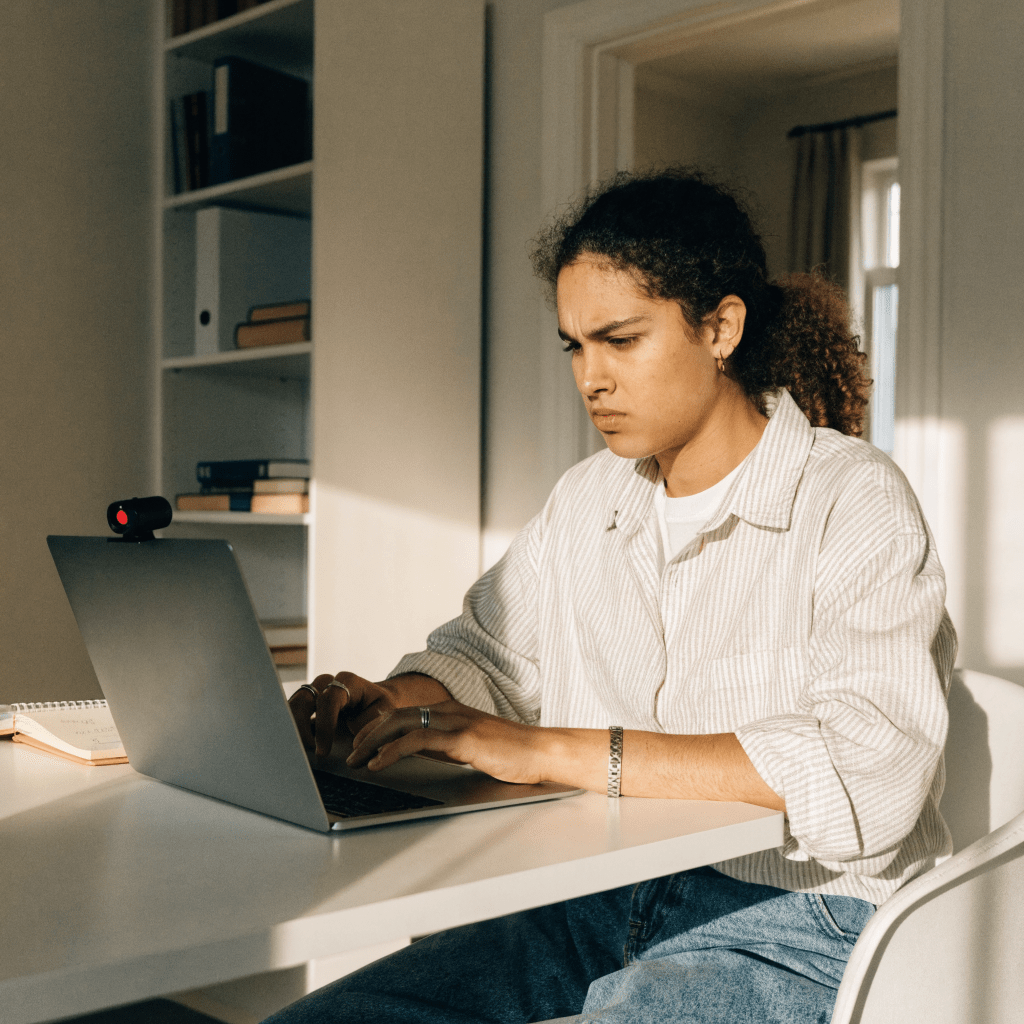

You're sitting in front of your laptop, the webcam is on, and somewhere in the background, software is running, analyzing your every move. It's precisely at this moment that many students start to feel uneasy: What does the camera really see - and what does it not record at all?
More and more universities are using digital supervision via camera, microphone, and software for a proctored exam - known as Proctoring. Knowing how the process works helps you approach the exam more calmly. This article explains the common types of proctoring, what the systems can technically detect, and where their limitations lie.
Key takeaways
- Proctoring comes in three basic forms: Live Proctoring, Automated/AI Proctoring, and Record-and-Review.
- Before the exam, most systems require a room scan via webcam and a browser lockdown that blocks other programs.
- The main things analyzed are gaze direction, head movements, noise levels, and tab changes - not thoughts.
- Even the best software has blind spots: it only sees what the camera captures, not what happens outside the frame.
- Proctoring is now widespread for online exams at German universities, but the specific rules differ from institution to institution.
Table of Contents
What exactly is proctoring?
Proctoring describes the supervision of exams that take place outside a physical examination room. The term comes from English (to proctor - to supervise) and is usually used untranslated in German-speaking countries, although universities often refer to it as "digital supervision" or "video supervision." For an online exam, proctoring thus takes on the role that the invigilator between the rows has in a lecture hall.
Specifically, this means that software or a person monitors via webcam, microphone, and sometimes the entire screen content to ensure that everything runs according to the rules during the exam. Some universities combine several procedures, others rely exclusively on automated systems. If you inform yourself beforehand which variant will be used for your exam, you will also know better what to pay attention to - our article on online exams in general provides a good introduction.
The three types of proctoring software
Not all proctoring software works the same way. In practice, three basic models have become established, which differ mainly in when and by whom the exam is actually observed.
For you as an examinee, this makes a noticeable difference: with live proctoring, a human will intervene immediately if necessary, with automated proctoring, software makes the initial decision, and with record-and-review, you often only learn about a potential anomaly much later.
Before the exam: Browser lockdown and room scan
Before the actual exam begins, most systems require two things: a webcam walkthrough of the room and the installation of lockdown software on the examination device.
During the room scan, you film your room completely - desk, walls, sometimes even under the tabletop. This is to rule out the presence of notes, a second screen, or another person in the room. A brief ID check via camera is often also part of this to confirm identity.
A so-called kiosk mode blocks access to other programs and tabs during the exam, prevents keyboard shortcuts like copy/paste, and records if you leave full-screen mode.
This preparation seems more intimidating to many students than it actually is. Ultimately, the system primarily checks technical framework conditions - a tidy work environment and a stable browser are usually sufficient to get through without problems.
What the camera and software actually detect
The core of every concern surrounding online proctoring is usually the question: What exactly does the software actually see? Four signals are at the forefront.
Gaze Direction: Eye-tracking functions record how often and for how long you look away from the screen. Frequent looking away is flagged as an anomaly - but this does not automatically mean that something unauthorized is happening; rather, it initially only means that a pattern deviates from the expected value.
Second Person: Object recognition in the video image can detect additional people or movements in the background, provided they are visible in the camera's angle.
Sounds: The microphone measures volume and voice patterns. Unusual conversations, whispering, or multiple voices in the room can be considered anomalous.
Tab Changes: The browser lockdown logs when the focus leaves the exam window, even if a second window is not visibly opened.
Many students specifically search for terms like proctored exam cheating beforehand - but this overview shows exactly how modern systems are designed for precisely such behavioral patterns. In the end, it is almost always a human who decides on the flagged anomalies, not the software alone.

The blind spots: Where proctoring reaches its limits
As sophisticated as some systems may seem - they have clear limitations. The camera always captures only a limited image section, not a 360-degree view of the entire room. What happens outside this angle remains hidden from the software.
Poor lighting conditions, an unusual sitting posture, or even certain tics and movement patterns can be mistakenly classified as anomalous by automated software. Studies on AI proctoring repeatedly point to increased error rates in certain population groups.
Another point: software recognizes behavior, not thoughts. It registers a glance to the side, a sound, or a tab change - what goes on in your head remains completely hidden from it. The very knowledge of constant observation creates additional pressure for many, which has little to do with the actual exam performance. Tips against precisely this feeling can be found in our article on overcoming exam anxiety.
How widespread is proctoring at German universities?
Since online exams have become an integral part of many degree programs, proctoring has also become established at German universities. Distance learning universities and degree programs with remote exams, in particular, regularly rely on corresponding software, often supplemented by live proctoring for particularly exam-relevant assessments.
The strictness of the requirements varies from university to university - and sometimes even from exam to exam at the same institution. Some demand a complete room scan and live supervision, others are content with a simple recording. A look at the examination regulations or the announcement for the respective exam provides clarity in advance.
Anyone who is well prepared has less to worry about in front of the camera anyway. With the right learning strategies, you approach any type of exam more calmly - regardless of whether it is supervised or not. However, if you are caught attempting to cheat, you should be aware of the possible consequences, which are summarized in our article on attempted cheating and consequences.

- Three basic forms: Live Proctoring, Automated Proctoring, Record-and-Review
- Required beforehand: Room scan and browser lockdown
- Detects gaze direction, sounds, tab changes, and additional people in the frame
- Blind spots: limited field of view, false alarms, no access to thoughts
- Now widespread at German universities, specific rules vary
Ultimately, proctoring remains exactly what its name suggests: supervision, not mind control. Knowing how a system works removes the uncertainty about the technology and allows you to focus on what really matters - your own preparation for the exam.
"Knowing how a system works takes away its fear - this applies to exams as well as the technology behind them."
